Magene C406 Pro Review: Custom Screens, Sensors, GPS and Performance Tested
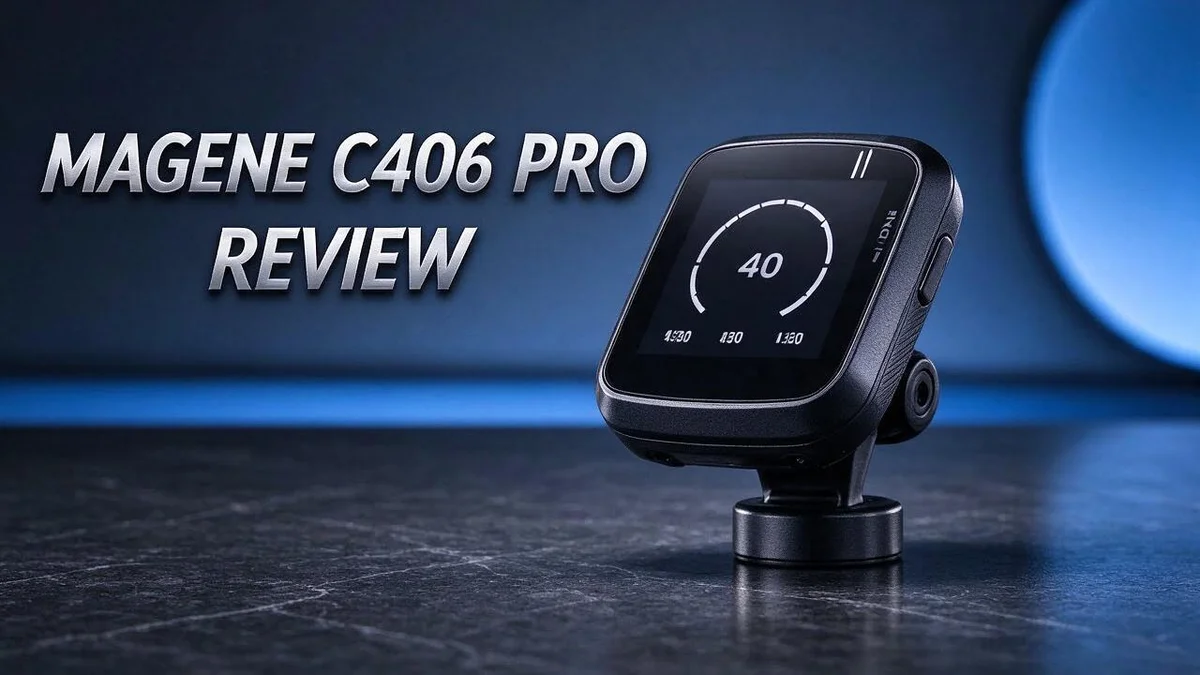
Looking for a bike computer that feels fresh? The Magene C406 Pro could be the upgrade you need. It builds on the standard C406 with smarter screen options.
Clear data matters on every ride. This GPS cycling computer shows 13 data types on a 2.4 inch HD LCD screen. You can build screens for speed, cadence, heart rate, and power.
Your sensors connect through ANT+ and Bluetooth 5.0. It works with 8 sensor types, so setup stays simple.
Serious riders will love the extra views. You can add intensity factor, percent of FTP, and percent of heart rate screens. The menu also feels easy to customize.
Ready to see if this model fits your training? Keep reading for a full look at the specs, pros, and how it compares with rivals like the Magene C606 and Garmin Edge 530.
In a Nutshell
-
Custom screens for effort: You can set up pages that show intensity factor, percent of FTP, and percent of heart rate. Each page shows the numbers that matter most to you.
-
Wide sensor compatibility: The unit connects with eight sensor types, including power meters, heart rate straps, and cadence sensors. All your gear works together in one clean display.
-
GPS tracking: The built in GPS keeps your route on track. Users also report that it activates faster than before.
-
Sunrise and sunset times: The computer calculates when daylight starts and ends. Early risers and evening riders can plan their trips with more confidence.
-
Nine language options: You can switch the system to one of nine languages. This makes setup simple for riders in many regions.
-
Quick app syncing: Many riders say the app syncs faster and more reliably. Less waiting means more time on the bike.
Customizable Display and Data Screens

- Exquisite Design Ingenious Interaction: 2.4” touchscreen with 3 buttons for easy use, compact and lightweight at...
- Smooth Transmission and Positioning: Supports Bluetooth and WiFi dual protocols with automatic AGNSS...
Last update on 2026-11-26 / Affiliate links / Images from Amazon Product Advertising API
The Magene C406 Pro gives you a bright 2.4 inch HD LCD screen to work with. It helps you see the right numbers at the right moment.
The unit displays 13 cycling data types, so you can pick the ones that matter most. Speed, cadence, heart rate, power, and calories are all available.
Every rider has different goals. A casual rider may want speed, distance, and calories on one page. A rider chasing a fast time may prefer power and cadence side by side.
The customizable menu makes setup feel simple. You move through options without wading through clutter.
Users also report better backlight control. That matters on early morning starts or late evening rides, when the screen needs to stay easy to read.
Faster GPS activation helps too. Users say the unit finds its signal quickly, so the screen shows useful data sooner after you leave home.
Plan your pages before you ride. Start with two or three fields for an easy glance. Add more fields when you train hard.
Your sensors should match your pages. If you own a power meter, add a power page. If you do not, skip it and keep the layout clean.
Test the setup on a short loop near home. Watch how the numbers look while you pedal. Then adjust the layout until it feels natural.
Layout also matters for readability while moving. Large numbers in the top section are easy to spot at a glance, while smaller details can sit lower on the screen.
Try different page orders over several rides. You may find that one arrangement suits climbs while another suits flat roads.
Small tweaks make a big difference. A few minutes of setup can turn the display into a helpful training partner.
Sensor Compatibility and Connectivity
Pairing your sensors takes only a few minutes. Most riders start with a heart rate strap, then add a speed or cadence sensor. Keep each sensor close to the head unit during pairing so the connection locks in fast.
Check the protocol before you buy. Some sensors use only one wireless method, so read the product page first. Dual protocol sensors give you more choices when you switch devices.
Battery life matters too. Sensors with fresh batteries send steady data. Weak batteries cause gaps on the screen. Pack a spare coin cell for longer trips.
Mounting position affects signal strength. Heart rate straps should sit snug against your skin. Speed and cadence magnets need clean alignment with their sensors. Check that each magnet passes its sensor on every turn.
Test everything at home first. Turn on the computer and every sensor, then watch the screen for one minute. If a value stays blank, move closer and try again. Metal objects and thick walls can block the signal.
Save your working setup. Many riders keep the same layout for every ride, so the unit reconnects quickly. Write down each sensor name in a notebook. This habit saves time when you replace a broken device.
Watch for dropouts during long rides. Sudden jumps in heart rate often point to a loose strap or low battery. Stop for a moment and check the connection. A quick fix keeps your training data clean.
Keep extra gear on hand. Include a spare strap, extra batteries, and a small tool for mounts. These simple items prevent a ride from ending early. Store them in your bag so they stay dry.
A stable connection makes every ride easier. Clean pairing and smart checks let you focus on the road. Once your sensors link up, the screen does the work for you.
GPS Tracking and Ride Navigation
Good navigation starts with a simple plan. Pick your route before you clip in, and know where you want to finish.
Open sky helps the GPS work best. Trees, tunnels, and tall buildings can block signals. Give the unit a minute outdoors before you roll away.
Wait for a steady signal before you start. A quick check at the start helps you avoid wrong turns later.
Save your favorite loops as mental landmarks. Note the big climbs, sharp turns, and shops along the way. Landmarks keep you oriented when you look up from the screen.
Choose routes that match the daylight. Check the sunset time before a long ride. Plan your return with plenty of light to spare.
Build your distance step by step. Try a short loop first, then add more miles once you feel confident.
Share your route with someone at home. Tell a friend where you plan to ride and when you expect to return. This habit matters most on quiet back roads.
Keep looks at the screen short. Glance for a second, then return your eyes to the road. Pull over if you need to study a turn.
If the path on screen seems wrong, trust road signs first. Your eyes and local rules come before any display.
City rides need extra attention. Tall buildings can bounce signals and slow the first fix. Expect small delays near busy blocks.
Rural rides often offer strong signals. Open fields and wide roads give the unit a clear view of the sky.
Keep the unit mounted firmly before you start. A loose mount can shift the view and make the screen harder to read.
After each ride, review the route you took. Compare your speed on hills and flats. Notice where you lost time or felt unsure.
Use those notes to improve your next plan. Good GPS habits make every ride calmer. Practice these steps on familiar roads first.
Top 3 Alternatives
Garmin Edge 530

- Performance GPS cycling computer with mapping. Compatible with Vector (power meter). Power meter compatible...
- Dynamic performance monitoring provides insights on your VO2 max, recovery, training balance, heat and altitude...
Last update on 2026-11-26 / Affiliate links / Images from Amazon Product Advertising API
The Garmin Edge 530 is a strong pick for serious riders. It offers clear maps, accurate GPS, and useful training metrics.
Many cyclists like its long battery life and easy touchscreen. Setup takes only a few minutes with the guided steps.
Wahoo ELEMNT Bolt

- ON-DEVICE TURN BY TURN NAVIGATION - The ELEMNT BOLT will automatically generate turn-by-turn prompts for routes and...
- AUTOMATIC ROUTE DOWNLOADS and WORKOUT UPLOADS - When synced with compatible accounts (Strava, Ride With GPS, Best...

Last update on 2026-11-25 / Affiliate links / Images from Amazon Product Advertising API
The Wahoo ELEMNT Bolt keeps things simple and light. It has a small, sleek body that fits easily on any handlebar.
Riders love its quick setup and smooth app connection. The mount stays secure on bumpy roads. Its buttons feel crisp, even with gloves on.
Bryton Rider 460

- 【Large Screen and Graphical User Interface】Features a 2.6 inch large black and white screen, the Rider...
- 【32 Hours of Battery Life】Enjoy uninterrupted performance with up to 32 hours of battery life without worrying...
Last update on 2026-11-26 / Affiliate links / Images from Amazon Product Advertising API
The Bryton Rider 460 suits riders who want solid features without fuss. It offers navigation, ride tracking, and sensor support.
Many beginners find its menus easy to learn. Its screen can show several data fields at once, so tracking speed, distance, and climbs feels simple.
Its display stays clear, and the device feels sturdy. Bryton also makes it simple to upload rides online. Choose the option that fits your riding style best and enjoy the ride.
App Sync and Daily Usability
App sync plays a big role in daily riding. Most riders want ride data to move from the unit to their phone without fuss. One user report says the Magene C406 Pro syncs faster and more reliably than expected.
Quick syncing saves time after every ride. You can review your effort while the details still feel fresh. Short sessions also get logged without extra steps.
This matters even more during busy weeks. Training plans depend on clean and complete data. A missed upload can cause confusion when you check your progress later.
Keep your phone close during each sync. Wireless links work best at short range. Stand near the unit, start the transfer, and wait for the confirmation before you walk away.
Daily usability goes beyond syncing, though. The unit should be easy to switch on, read, and charge. Small routines make every outing feel smooth.
Try a simple checklist before each ride. Charge the unit the night before. Check the battery level and confirm your phone has room for the upload. Each step takes only seconds.
Clear out old files regularly. A cluttered list makes it harder to find recent rides. Set a reminder once a week to review and delete rides you no longer need.
Consistency also helps your focus. When the layout stays the same, you spend less time thinking about buttons. You can keep your eyes on the road, the climb, or the trail ahead.
Make syncing part of your cool down. Once you get home, sit down for a few minutes and let the transfer finish. Many riders review their stats while they stretch or drink water.
Sync speed and daily ease work together. A fast transfer means less waiting at the kitchen table. A simple routine means fewer surprises on the road.
Value Compared to Rivals
Comparing the Magene C406 Pro with rivals starts with features. It sits beside the standard C406, the Magene C606, and the Garmin Edge 530. Each one suits riders in a slightly different way.
The biggest change from the standard C406 is screen control. The C406 Pro offers more adjustable screens, including intensity factor, percent of FTP, and percent of heart rate. Riders who train by zones often find these views especially useful.
Feature lists tell only part of the story. Write down your top five numbers before you compare any units. Then check which device shows those numbers most clearly on its screen.
The Magene C606 is the main rival named in the research. Place its screen layout and menu options next to the C406 Pro. Look closely at how quickly you can switch between data pages during a hard effort.
The Garmin Edge 530 brings a different mix of strengths. Read its spec sheet beside the Magene listing. Note how each one handles screen options, language support, and sunrise and sunset data.
Language support is a quiet advantage. The C406 Pro offers 9 system languages, although one listing mentions 10. Check the current product page before you decide, since listings can change.
The sunrise and sunset feature also deserves a closer look. Compare how each rival presents this information on the screen and in the app. Some riders rely on it more than others.
User reports point to faster app sync and quicker GPS activation on the C406 Pro. These comments come from owners, not lab tests. Treat them as helpful hints rather than firm promises.
The research did not document any cons for the C406 Pro. That does not mean the unit is flawless. Read recent reviews from several sources before you commit. Look for patterns across many owners.
Your riding style matters most in this comparison. A rider who wants more custom screens may prefer the C406 Pro. Someone who values a different feature set may lean toward another rival. Choose the unit that fits your habits, not just the one with the longest feature list.
Pros and Cons
Pros
- More screen options than the standard C406 give you extra control.
- Intensity factor, % of FTP, and % of HR screens add useful detail.
- A customizable menu makes setup easier.
- User reports point to faster app sync after rides.
- User reports also mention better backlight control and quicker GPS activation.
Cons
- No cons were documented in our research so far.
- Most speed claims come from user reports, not lab tests.
- Long term reliability data is still limited.
- Riders who want the Garmin Edge 530 ecosystem may prefer that model.
Who Should Buy It
This unit suits riders who train with numbers. If you track power, heart rate, and cadence every day, the C406 Pro keeps those figures on screen. It shows 13 cycling data types, so you rarely need to hunt for details.
Structured training fans will feel at home here. A rider following a plan built on FTP or heart rate zones can set screens for each workout. Glancing down and seeing the right number helps you hold a steady effort.
Early risers and commuters can also benefit. The sunrise and sunset times help you plan lights and departure times. Planning around daylight becomes simpler on winter mornings.
Indoor training sessions benefit too. Long trainer rides need steady pacing, and live numbers make intervals easier to track.
Event riders can pace hard efforts across a long day with clear live numbers. Setup matters before race day. Practice with the menu at home so you know where each screen lives.
Casual riders may not need this much detail. If you only check speed and distance on short loops, the extra screens may feel busy. A simpler computer could feel more relaxed for everyday spins.
Sensor owners should double check compatibility first. The unit connects eight sensor types using ANT+ and Bluetooth 5.0. Confirm that your power meter, cadence sensor, and heart rate strap support one of these links.
Shared household bikes are another good fit. Two riders can save separate screen layouts, so each person sees the numbers they care about most.
Overall, serious trainers and data focused riders will get the most from this unit. Everyone else can start with a simple setup and add screens over time as their skills grow. A little practice goes a long way with any new head unit.
Final Verdict
Here is the bottom line. The Magene C406 Pro works best as a focused upgrade. It keeps the core job simple and adds more control. You can set the display to show exactly what matters on your ride.
Think of it as a tool for reading your effort in real time. Your current setup matters a lot. If you already own compatible sensors, the unit fits in quickly. If you mix older and newer gear, test each connection before a big trip.
Think about your riding calendar, too. Training blocks, group rides, and weekend trips each need different data. A unit that adapts to each one saves time at the start of every ride.
Keep your bike setup in mind as well. Mounting position, cable routing, and handlebar shape can change how easily the screen reads in bright sunlight.
Some questions remain open. The research did not confirm every detail about this model. Check the latest specs and firmware notes before you buy. A quick look at recent owner feedback can also help.
Try it on a short ride first. Set up two or three screens that matter most to you. Then watch how the numbers update on a hard climb and a flat stretch. This test shows whether the layout feels natural.
Compare it with the Magene C606 and the Garmin Edge 530 side by side. Look at which one fits your daily routine. A simple list of your must have features can make the choice easier.
Final call: The Magene C406 Pro suits riders who want more control over their screens. Pick it when custom layouts matter more than a wide ecosystem. Your next ride will show whether it earns a place on your handlebars.
Frequently Asked Questions
Is the Magene C406 Pro good for beginners?
Yes, it can work well for new riders. The customizable menu makes setup easier. Start with speed, distance, and heart rate screens, then add more later.
Does the Magene C406 Pro track power and heart rate?
Yes, it shows many cycling data types. It connects several sensor types, including power meters and heart rate straps. Check sensor compatibility before your first ride.
How fast does the app sync after rides?
User reports describe faster app sync than before. Results can vary from one phone to another. Most speed claims come from user reports, not lab tests.
Can I use the C406 Pro for indoor training?
Yes, indoor sessions benefit from clear live numbers. Set up the intensity factor and percent of FTP screens to pace each interval. Load these screens before your session starts.
Is the C406 Pro right for casual riders?
Casual riders may not need this much detail. If you only check speed and distance on short loops, a simpler unit may suit you better. Think about how often you want to read extra data.

Virat is the founder and lead writer at ActivePlayFinds.com, where he shares honest, in-depth reviews, comparisons, and buying guides to help athletes and sports enthusiasts find the perfect gear. With a deep passion for sports and hands-on experience testing a wide range of products, he is committed to helping readers make smart, confident buying decisions.