Hammerhead Karoo 3 Review: Display, Maps, GPS Accuracy and Verdict
Are you hunting for a bike computer that makes every ride clearer? The Hammerhead Karoo 3 might be the answer. It packs a 2.0 GHz processor and 64GB of storage.
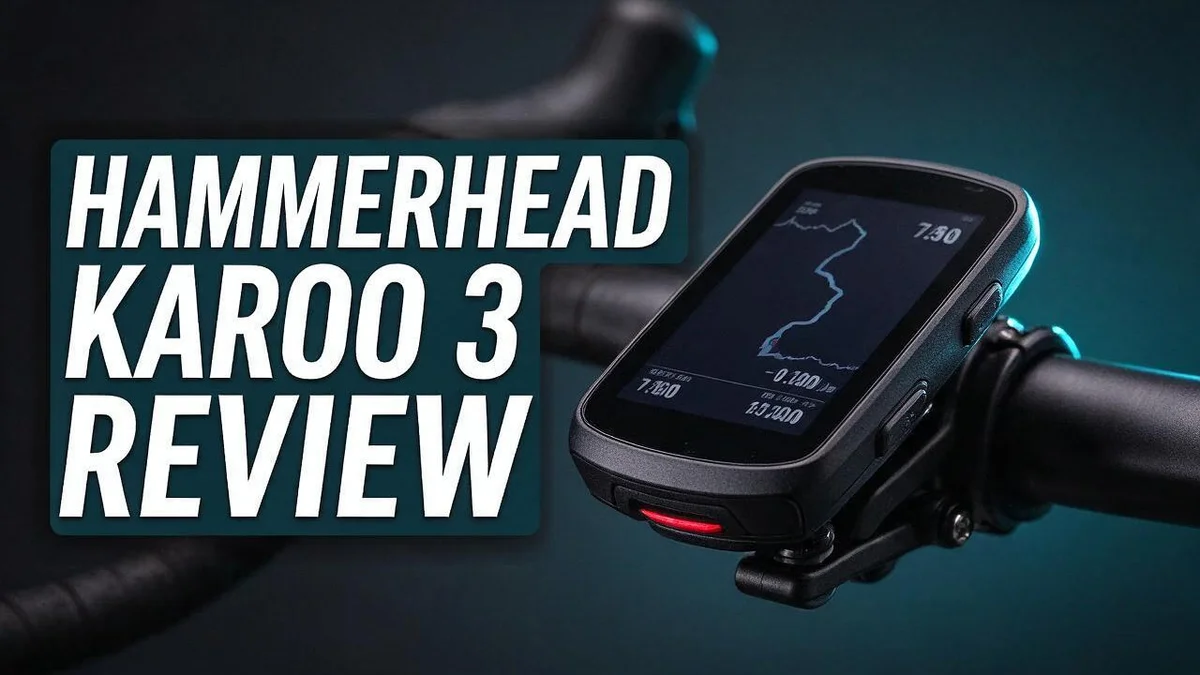
Riders love the bright display and clean maps. Route guidance feels easy to follow, even on long days in the saddle.
If you ride with SRAM AXS components, this unit fits right in. Heart rate, power, and cadence show up in rich color graphics. You also see meeting reminders, texts, and calls without fumbling for your phone.
Still, not every rider has a smooth start. Some report GPS distance issues and setup challenges. Others feel the interface needs work. The display resolution also sits lower than the Karoo 2.
Is this computer the right pick for your next adventure? Let us look at the pros and cons below.
In a Nutshell
Here is a quick look at what matters most with this computer.
-
Faster processing power: The Karoo 3 runs on a 2.0 GHz processor. Your screen should respond quickly when you switch between data pages.
-
More storage space: The unit offers 64GB of storage, up from 32GB on earlier versions. You can save more maps and ride files on the device.
-
Multiband satellite support: Multiband GNSS helps the unit lock onto signals. Some riders still report GPS distance issues, so check your ride data after each trip.
-
Phone alerts on the handlebars: The computer shows meeting reminders, texts, and calls. You can stay in touch without pulling your phone from your pocket.
-
Simpler customization: Options are more limited than Garmin offers. Many reviewers still feel the setup works better in daily use.
-
Lower screen resolution: The display is less sharp than the Karoo 2. Small text and fine map details may look softer.
Display and Visibility

- Elevate your cycling experience with the Hammerhead Karoo Bike Computer Bundle, featuring a cutting-edge design and...
- Stay focused on the road with Karoo's intuitive hardware and software design, allowing you to effortlessly manage...
Last update on 2026-11-27 / Affiliate links / Images from Amazon Product Advertising API
Good visibility matters more than many riders expect. A screen you can read at a glance keeps your eyes on the trail.
Color helps data stand out. Heart rate, power, and cadence appear in rich colors. Your eyes can spot a change in seconds.
That quick recognition helps you pace hard climbs without losing focus. Small habits make a big difference on long rides.
Glances should stay short. Long reading slows you down and pulls attention away from traffic. A clear layout keeps each check brief.
Test before the big day. Take the unit outside in midday sun and check how the screen looks. Glare can change how easy the numbers are to read.
Angle matters on the mount. A tilted display can wash out in bright light. Position the unit so you can see it straight on.
Gloves change the experience. Cold weather riders should test touch response with gloves on. Try taps and swipes before you head out.
Setup deserves extra time. Some riders report setup challenges, so plan a calm evening for screen layouts. Choose the data fields you use most.
Expect a learning curve. One user found the interface frustrating at first. Practice on short rides builds confidence fast. Familiar screens feel natural after a few outings.
Night rides need planning too. Low light changes how colors appear on any screen. Set your preferred view before dusk so you are not fumbling in the dark.
Keep the glass clean. Dust and sweat can blur the view. A soft cloth keeps the screen sharp.
Visibility builds trust. When you trust what you see, you ride with less stress. A readable screen turns numbers into useful guidance.
Navigation and Mapping
Good navigation keeps you moving without stopping to check your phone. The Hammerhead Karoo 3 puts route guidance right where you need it. Less guessing means more focus on the road ahead.
Route planning starts before you leave home. Load your course in advance so you know where the climbs and turns sit. This simple habit keeps your ride calm from the first kilometer.
The map view shows your position and the next turn clearly. You can glance down and understand your direction in a second. Clear cues make junctions easier to handle at speed.
Distance accuracy deserves a closer look. Some riders report GPS distance issues on certain rides. Compare the trip total with a known loop to see how your unit performs.
Run a short test ride on a familiar route first. Watch how the unit tracks corners, tunnels, and tree cover. This shows you whether the signal and map behave as expected.
Riders who explore new areas gain the most from guided routes. Maps help you avoid wrong turns on unmarked gravel roads. Confidence grows with every mile you cover.
Comparing navigation with rivals can help you decide. The Wahoo ELEMNT Bolt and Garmin Edge 1040 also offer route guidance. Check how each one handles recalculation and turn prompts.
Organize your saved routes in one clear list. Favorite loops should sit at the top for quick access. Fast selection saves time when you arrive at the trailhead.
Battery use changes with map brightness and GPS mode. Lower brightness can stretch your ride time on long days. Check your settings before a big event.
Phone pairing supports your navigation too. Keep your phone charged so live data and updates flow smoothly. A backup power bank gives extra peace of mind on remote roads.
Clear maps make group rides easier. Everyone can follow the same line without shouting directions. Shared routes keep the whole crew together.
Ride Data and Sensor Integration
Good ride data starts with good sensors. The Karoo 3 pairs with heart rate straps, cadence sensors, and power meters. Pairing takes only a few minutes at home.
Pair one device at a time. This keeps the connection clear. Wake each sensor by spinning the pedals or wearing the strap. Then confirm the readings change on the screen before you leave.
Power data needs extra care. A power meter should be zeroed before rides. Many riders skip this step, so readings drift over time. A quick zero offset check keeps your watt numbers honest.
Wheel size matters for speed. Set the correct tire size in the settings. A wrong size makes speed and distance drift, even when the sensor works well.
Data fields work best when they match your goal. Pick three to five fields for the main screen. Too many numbers create clutter. Keep power, heart rate, and time at the top for steady efforts.
Recording matters after the ride. Files save to the unit and sync to training apps. Check that your upload finishes before you close the app. Missing files cause frustration later.
Sensor dropouts happen in busy areas. Radio signals can clash with other devices. Keep the heart rate strap snug and away from metal parts. Carry a spare battery for each sensor too.
Battery life for sensors deserves a check as well. Coin cell batteries in straps and speed sensors wear down over months. Replace them before a big event. A dead strap can silently cut your heart rate data mid ride.
Trends tell more than single numbers. Review your data after each ride. Look at how heart rate climbs over a long hill. Patterns show fitness gains faster than one good day.
Plan one ride just for data checks. Compare your power numbers with a trainer session. Matching results build trust in the unit.
Top 3 Alternatives
Looking for a different cycling computer? These three options give riders strong choices for maps, training data, and battery life.
Wahoo ELEMNT Bolt

- ON-DEVICE TURN BY TURN NAVIGATION - The ELEMNT BOLT will automatically generate turn-by-turn prompts for routes and...
- AUTOMATIC ROUTE DOWNLOADS and WORKOUT UPLOADS - When synced with compatible accounts (Strava, Ride With GPS, Best...

Last update on 2026-11-27 / Affiliate links / Images from Amazon Product Advertising API
The Wahoo ELEMNT Bolt is a small and light bike computer. It fits neatly on most handlebars and takes little space. Riders who want clean maps and simple setup often choose this device.
It pairs quickly with heart rate monitors, speed sensors, and power meters. Its color screen shows routes clearly, even in bright sunlight. Battery life lasts through most daily rides.
Garmin Edge 840

- Advanced GPS cycling computer with touchscreen and button control combines superior navigation, planning and...
- Battery life: up to 26 hours in demanding use cases; up to 32 hours in battery saver mode
Last update on 2026-11-27 / Affiliate links / Images from Amazon Product Advertising API
The Garmin Edge 840 offers a bright screen with both touch and button controls. It suits riders who love detailed training data.
This device tracks climbs, recovery, and fitness trends over time. It also gives helpful training suggestions based on your effort. Garmin Connect keeps all your activities in one place, so reviewing progress feels easy.
Lezyne Mega XL GPS

- 2.8" Large Touchscreen: A Vivid Screen for a Vivid Ride. The 2.8-inch color screen provides clear navigation...
- Smart Map Navigation: CC700 Pro supports global offline downloads with 4GB storage for multiple routes. Its...
Last update on 2026-11-27 / Affiliate links / Images from Amazon Product Advertising API
The Lezyne Mega XL GPS focuses on simple, long lasting performance. It runs for many hours on a single charge. Its large display makes turn by turn directions easy to read at a glance.
Riders who plan long adventures may appreciate its extra battery power. It also works well with popular sensors and training apps. Many cyclists find its straightforward menus quick to learn.
GPS Accuracy and Reliability
Multiband GNSS is the main GPS feature on the Karoo 3. It helps the unit lock onto satellite signals faster. Good lock matters when you ride past tall buildings or dense forest.
Some riders report GPS distance issues. This does not mean every ride will be off. But it does mean you should check the numbers yourself.
Weather can affect signal strength too. Heavy cloud and rain may weaken the link to satellites. Clear skies usually give the cleanest track.
Look at the sky when you start. Open views give the best signal. Wait a few seconds after power on so the unit can find satellites.
Firmware updates can change how the unit handles location data. Keep the software current, and read release notes for GPS fixes. Updates often arrive after early reports come in.
Avoid placing the unit beside metal parts or bulky bags. Metal can block signals and create small errors.
Compare your file after the ride. Upload the activity to a second platform and check the total distance and elevation. A small gap is normal. A large gap signals a problem worth reporting.
Note the start and finish points too. A shift there often shows a lock problem at the start.
Save your ride file before you clear the unit. Raw files help support teams see what went wrong. Screenshots of the map also help show where the track drifted.
Tunnels, underpasses, and canyon roads can cause short gaps in the track. The unit will often fill those gaps with straight lines. Expect a few odd jumps on those routes.
Good GPS depends on more than hardware. Mount height, cable clutter, and phone pairing can all affect performance. Check each part of your setup before a long event.
Accurate GPS builds trust in your data. When the track looks right, you can focus on the ride instead of the screen.
Setup and Software Experience
The first boot takes a few minutes. You sign in, join a WiFi network, and let the system finish its setup. A steady connection during this step keeps the process moving without errors.
The touch screen responds quickly, and most menus feel familiar to anyone who uses a smartphone. You swipe between pages and tap icons to change settings.
Notifications are a real highlight. Meeting reminders, texts, and calls can appear on the screen while you ride. Turn off any alerts you do not need, so the display stays calm on steep climbs.
Customization is more limited than on Garmin units. Reviewers still say the options work better in daily use, even with fewer choices.
Opinions about the interface vary. One user called the UI terrible, while others praise its clean layout. Your own experience matters most, so spend time with the menus before you judge them.
Think about who else will touch the unit. A shared bike needs a clear home screen that every rider can read at a glance.
Rich colors make heart rate, power, and cadence easier to scan during hard efforts. Bright graphics stand out in sunlight, which helps when you glance down on a busy road.
Save a copy of your settings after setup. If a layout changes later, you can return to a version that already works for you.
Finish with a short screen check. Ride a few minutes at different brightness levels. You will quickly see which view feels easiest on your eyes.
Pros and Cons
Pros
– Bright screen stays easy to read in harsh sunlight.
– It pairs well with SRAM AXS gear, so shifting and data feel connected.
– Clean map views help you follow routes without fuss.
– Many reviewers say its customization works better than Garmin’s in daily use.
– Colorful graphs make it easy to spot trends at a glance.
Cons
– Lower screen resolution makes fine map details and small text less sharp.
– Long rides can feel harder on the eyes when text looks soft.
– Power users may want more layout options for each screen.
– Riders who want a quick plug and play start may need extra patience.
Who Should Buy It
The Hammerhead Karoo 3 suits a specific kind of rider best. It works well for cyclists who want simple guidance without a complicated setup. Think of riders who value easy route following over endless settings.
Route planners who load many maps will benefit most. The extra storage gives you room for regional maps and past ride files. You can keep a full season of routes on the unit without deleting old downloads.
Weekend explorers and gravel riders often fit this device well. Long days in the saddle need a screen that stays easy to follow. Pick this unit if you ride new roads and want clear turn cues.
Riders who value deep customization may prefer another model. The Garmin Edge 1050 remains a common pick for those who want fine tuning. Wahoo ELEMNT Bolt offers a simpler option for shorter rides.
Commuters who only need basic stats might find it too much. Simple cycle computers can handle that job with less fuss. Compare your riding style before you decide.
Group ride leaders can also gain from this device. Leaders often share a route file before the ride starts. Loading that file onto the unit keeps everyone on the same course. Shared files help new group members stay with the pack.
Riders with mixed device setups should plan ahead. Some people carry a phone, a watch, and a computer on the same ride. Check how the unit syncs with those tools before you buy.
Anyone who wants one screen for maps and stats will like this setup. Fewer devices mean fewer cables and less clutter on the bars. That simple idea often matters more than a long feature list.
Ask yourself how often you change routes and how much you use shifting data. If those answers point to clear maps and connected gear, this unit deserves a close look.
Final Verdict
The Hammerhead Karoo 3 makes a strong case for riders who love clear maps. It works best for people who plan long routes and want a bright, easy screen. Still, it may not fit every rider’s needs.
Start by asking how you ride. Weekend explorers and gravel fans will likely enjoy the device most. Riders who race and need deep layout control may want to look elsewhere.
Setup takes patience, so give yourself time before your first big ride. Load your routes, pair your sensors, and test the unit on a short loop. This simple habit saves stress later.
GPS accuracy deserves a close look, too. Some riders report distance gaps. Compare the readings with a phone or watch on a known course. You will quickly see whether the unit matches your expectations.
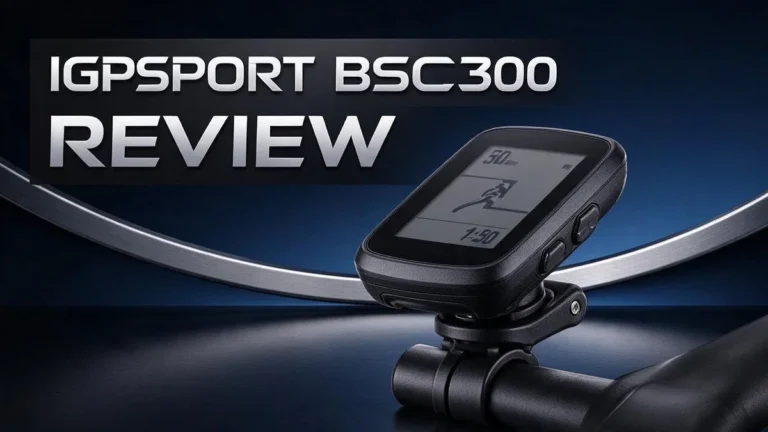
Think about the wider competition as well. The Garmin Edge 1040 and Garmin Edge 1050 offer more customization options. The Wahoo ELEMNT Bolt suits riders who want a compact unit with simple controls. The IGPSPORT BSC300 works for riders who only need basic tracking.
Your daily routine matters, too. If you review rides at home each night, check how the data flows between your device and your apps. A smooth workflow keeps your training log clean and easy to follow.
Test before you commit. Ride with the unit for a few weeks, then decide if it fits your habits. This approach shows you the real strengths and weak spots without guesswork.
Looking ahead, the extra storage gives you room for many regional maps. Keep the software updated and watch for new features as the platform grows. Staying current helps you get the most from the hardware.
Our final take is simple. Choose the Hammerhead Karoo 3 if you ride with SRAM AXS gear and like clean navigation. Skip it if you want deep customization or if a lower resolution screen would bother you.
Frequently Asked Questions
Which rival models should I compare it with?
Start with the Garmin Edge 1050 if you want deeper customization. The Garmin Edge 1040 and Wahoo ELEMNT Bolt are also common picks. Compare the maps, screen, and how each one links to your gear.
What should I do if GPS distance looks off?
Some riders report distance issues, so check your numbers early. Ride a known route and compare the distance with a second device. Test the unit on a few short rides before you rely on it for a big event.
Is the interface hard to learn?
Opinions vary. One user called the UI terrible, while many riders praise the clean maps and easy layout. Set aside time to explore the menus before your first long ride. Most riders find the layout makes more sense after a few outings.
How can I make the screen easier to read?
Pick the data fields you need most and remove the rest. Fewer fields keep each screen clear. This helps you read important stats quickly while riding.

Virat is the founder and lead writer at ActivePlayFinds.com, where he shares honest, in-depth reviews, comparisons, and buying guides to help athletes and sports enthusiasts find the perfect gear. With a deep passion for sports and hands-on experience testing a wide range of products, he is committed to helping readers make smart, confident buying decisions.