Garmin Edge 840 Review: Touchscreen GPS Cycling Computer Tested
Are you looking for a bike computer that does it all? The Garmin Edge 840 might be the answer. It combines a touchscreen with button controls in one unit.
Riders can easily zoom maps and switch screens. The touchscreen makes navigation simple on every ride.
Under the hood, you get 32GB of storage and solar charging. That means more room for routes and long battery life on big days out.
Pair it with a compatible power meter and heart rate monitor, and it offers adaptive coaching. The ClimbPro feature also helps you pace yourself on steep hills.
In this guide, we break down the key features, pros, and cons. You will also see how it compares to other popular options. Let’s find out if this Edge is right for you.
In a Nutshell
-
Touchscreen plus buttons: You can tap the screen or press physical buttons. This dual setup works well when you ride with gloves on, so you stay in control on every route.
-
ClimbPro feature: This tool helps you plan and pace steep climbs. It keeps your effort steady from the base of a hill to the summit, so you save energy for the final push.
-
Long battery life: The unit lasts through long rides and multi day trips. You spend less time worrying about charging and more time enjoying the miles.
-
Detailed color coded maps: Maps show plenty of data in clear, vivid color. Routes stay easy to follow, even on busy roads with many turns.
-
Ride specific maps: Maps adapt to the type of riding you do. You can search for bike shops and other cycling spots along the way.
-
A strong all round choice: Riders who want more than the basics will appreciate this model. Casual riders might prefer the simpler Wahoo ELEMNT ROAM V2 instead.
Key Features

- Advanced GPS cycling computer with touchscreen and button control combines superior navigation, planning and...
- Battery life: up to 26 hours in demanding use cases; up to 32 hours in battery saver mode

Last update on 2026-11-27 / Affiliate links / Images from Amazon Product Advertising API
Think of the Garmin Edge 840 as a training partner and a navigator in one device. Its features work together, so every ride feels more useful.
When your hands are cold or wet, the physical buttons still work well.
Finding help on the road is easy with cycling POIs. Search for bike shops or other stops along your route.
A quick search can save a long ride. If a chain breaks or a tire goes flat, you know where to go.
The 840 also suits riders who like a touch interface. Button only models such as the Edge 540 lack a touchscreen. So the 840 feels more modern to many people.
Pace and route details stay easy to scan. You spend less time looking down at the screen.
Setup rewards effort. Take time to pair your sensors and set your training zones. The payoff shows up on every ride.
Long rides often bring surprises. Having data and maps in one place helps you adjust fast.
Think about your riding goals before you choose any bike computer. The 840 fits riders who plan big rides or varied routes.
In short, the Edge 840 suits riders who want touch controls, smart search, and training tools in one unit. Start with the features you use most, then grow into the extras over time.
Touchscreen and Button Controls
Touch controls feel natural from the start. Most riders learn the main menus during their first ride. A simple swipe moves through data pages, so you rarely need to search for options.
Typing on the screen saves time. Route names and workout details take only a few taps. You can make quick edits before rolling out and keep your focus on training.
Button layout keeps stops simple. The physical keys handle start, stop, and lap marks. Mapping key actions to buttons means you never need to look through the screen during a hard effort.
Sunlight can affect screen readability. Bright days may wash out the display at certain angles. Adjusting brightness or tilting the mount often solves the problem quickly for most riders.
Screen care matters over time. Sweat, dust, and road grime can smudge the glass. A quick wipe with a soft cloth keeps taps accurate and the display clear.
Thick gloves can block touch input. Winter riders may find the screen less responsive through heavy gloves. Thin liner gloves or the physical buttons usually solve this without any fuss at all.
Custom data screens respond well to taps. You can rearrange fields by dragging them into place. This lets you put speed, cadence, and power exactly where your eyes expect them.
Mount position changes reach. Handlebar height and angle shape how easily you tap while riding. Try a few positions before your first long trip so reaching the screen feels effortless.
A mix of both works best. Use the screen for browsing and setup. Rely on the buttons for quick actions during the ride. Together, they give you a flexible and dependable control setup.
Navigation and Ride-Specific Maps
Getting lost on an unfamiliar road can ruin a good ride. The Edge 840 keeps you on track from start to finish.
Before you leave, load your route onto the device. You can build routes in Garmin Connect or import a file you found online. Then the unit guides you with clear turn cues.
Off course alerts matter on rides with many side streets. If you miss a turn, the device recalculates a new path. You do not need to stop and check your phone.
Map views can show more than roads alone. Choose the view that fits your plan for the day.
Gravel riders and road riders need different routes. Pick the map style that matches your surface before you start. The right choice keeps you on the right kind of path.
Plan the route before a big day out. Check distance, climbing, and expected stops in advance. A clear plan keeps your energy steady and your mood high.
Track lines help you retrace your steps. The line on the map shows where you already rode. This helps on long loops with few landmarks.
Quick tip: Download maps for your region at home. Cell service often fades on remote roads, so offline maps keep the screen useful.
Think about where you ride most often. A commuter needs different cues than a weekend explorer. Set up your maps around your real routes, and the device will feel like a trusted guide.
Practice a route once at a calm pace. You learn the cues before traffic and fatigue arrive. Confidence grows with every mile.
Top 3 Alternatives
Wahoo ELEMNT Roam

- ON-DEVICE TURN BY TURN NAVIGATION - The ELEMNT BOLT will automatically generate turn-by-turn prompts for routes and...
- AUTOMATIC ROUTE DOWNLOADS and WORKOUT UPLOADS - When synced with compatible accounts (Strava, Ride With GPS, Best...
Last update on 2026-11-27 / Affiliate links / Images from Amazon Product Advertising API
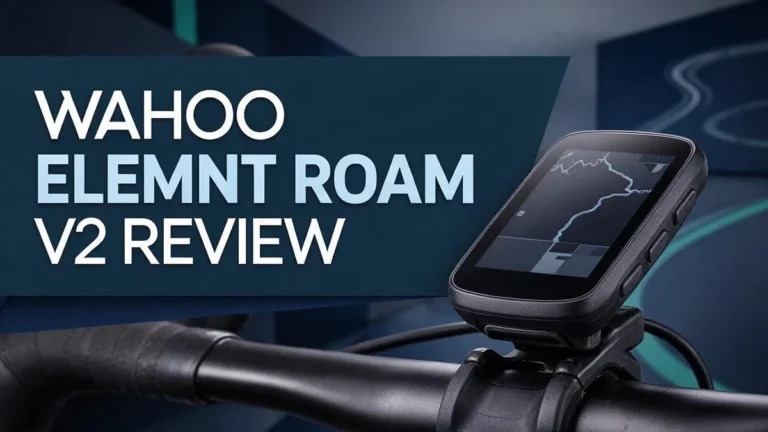
The Wahoo ELEMNT Roam is a compact bike computer with a bright touchscreen. It shows maps, speed, and heart rate in clear layouts. Beginners find it easy to read while riding.
Riders can follow turn by turn directions with ease. The battery lasts through long training days. Many cyclists enjoy its simple setup and fast app sync. Its mounts also stay secure on bumpy roads.
Hammerhead Karoo 2

- Elevate your cycling experience with the Hammerhead Karoo Bike Computer Bundle, featuring a cutting-edge design and...
- Stay focused on the road with Karoo's intuitive hardware and software design, allowing you to effortlessly manage...
Last update on 2026-11-27 / Affiliate links / Images from Amazon Product Advertising API
The Hammerhead Karoo 2 runs on an open Android system. Riders can add apps and customize their screens. Its touchscreen responds fast to taps. This flexibility helps people who like to tinker with settings.
It shows detailed maps and offline routes for long rides. Its color display stays easy to read in bright sun. Adventure fans often choose it for planning big routes.
Wahoo ELEMNT Bolt
- ON-DEVICE TURN BY TURN NAVIGATION - The ELEMNT BOLT will automatically generate turn-by-turn prompts for routes and...
- AUTOMATIC ROUTE DOWNLOADS and WORKOUT UPLOADS - When synced with compatible accounts (Strava, Ride With GPS, Best...
Last update on 2026-11-27 / Affiliate links / Images from Amazon Product Advertising API
The Wahoo ELEMNT Bolt is a lightweight option for riders who want a clean display. It pairs quickly with sensors and fits on most handlebars. Setup takes only a few minutes.
It keeps the focus on key data like pace, power, and cadence. Daily training feels simple with its quick menus. Many commuters use it too. This device suits people who value speed and clarity. Each device has its own strengths, so match it to your riding style.
Training Metrics and Adaptive Coaching
Training data helps riders see real progress. The Edge 840 gathers numbers during every ride. Those numbers tell a clear story about effort.
Adaptive coaching works with a compatible power meter and heart rate monitor. Pair both sensors before your first workout. The device then reads your effort in real time.
Adaptive coaching adjusts your training plan as you ride. If you push too hard, the plan changes. If you hold back, the plan adapts again.
Pairing sensors takes only a few minutes. Open the sensor menu, select each device, and wait for the connection. Most riders finish this setup at home.
Training metrics show how hard each interval feels. Power numbers reveal output. Heart rate shows how your body responds. Together they paint a full picture.
Why does this matter? Rides on the same route can feel different. Metrics help explain why. A windy day may raise power demands while heart rate stays calm.
Recovery deserves attention too. Hard efforts need rest days. Watch trends across several weeks rather than single rides. Patterns show when your body needs an easier week.
Keep your sensors charged. Dead batteries break the data flow. Check batteries before a big training block.
Set clear goals first. Choose a target such as a longer climb or a faster group ride. The coaching feature then matches workouts to that goal.
Zone training benefits from steady data. Time spent in each zone shows where your effort lands. Use that information to plan easy days and hard days.
Beginners can start with simple goals. Build endurance first. Add intensity once your legs feel ready.
Battery Life and Solar Charging
A strong battery makes a big difference on long rides. The Edge 840 gives riders plenty of runtime for most training plans.
Battery life depends on how you use the device. Bright screens, GPS tracking, and frequent map views all draw power. Simple habits can stretch your runtime further.
Solar charging adds a helpful extra layer. Sunlight hits the solar panel while you ride, so the battery gains some charge over time.
Solar charging works best on sunny days. A clear view of the sky helps the panel collect more light.
Solar charging is a bonus, not a full replacement for a cable. Cloudy rides, indoor storage, and winter days will still need a USB charge. Plan a charge before every big ride.
Smart settings help save power too. Turning off unused alerts and lowering screen brightness can extend the day. Many riders also switch off sensors when they are not needed.
Check the battery before you leave. A quick look at the charge level prevents surprises on the road. Riders who plan ahead can enjoy the ride without worry.
Keep the solar surface clean so light can reach it. Dirt and grime can block the panel over time. A soft cloth takes only a moment to wipe it down.
Think about your typical ride length. Short trips may need little charging at all. Long adventure days call for a spare cable or a power bank. Pack it in your bag.
Riders can also check battery levels on the device menu during breaks. Quick checks keep the plan on track. Good habits make the battery a minor concern.
Storage Capacity
When you look at storage, the Garmin Edge 840 offers 32GB of space. That is double the 16GB found on the Edge 540. For many riders, this extra room makes daily life easier.
Think about how much data you collect over a season. Each ride saves files, and those files add up fast. More space means fewer moments where you must delete old rides just to make room.
Storage matters most for riders who keep long histories. If you want to compare a ride from last spring with one from this week, you need those files on the device. Extra room keeps them close at hand.
Storage also helps with courses and workouts. You can store a library of routes for different trips. Then you can pick the right one without going back to your computer.
Here is a simple way to check your space. Open the storage menu on the device. Look at how much memory remains. This quick look helps you plan before a big event.
Keep a clean file habit. Save rides you care about and remove test files. Short practice runs often clutter the memory. A tidy device runs smoothly and stays easy to read.
Not every rider needs 32GB. Casual riders who only ride a few times a month may never fill the card. For them, the extra space is simply a comfort rather than a must.
Plan for the future too. Software updates and new features may need room. Having 32GB gives you breathing space as your needs grow.
Overall, the Garmin Edge 840 gives you generous space for routes, rides, and history. The 32GB capacity suits both weekend explorers and serious trainers who value a full record.
Pros and Cons
Pros
- Touchscreen controls make zooming and switching screens quick.
- ClimbPro helps you prepare for hills before you reach them.
- Color-coded maps show lots of route detail at a glance.
- Searchable maps highlight nearby bike shops and other cycling spots.
- You can use both touch and buttons, depending on what feels easier.
Cons
- New riders may need extra time to learn the menus.
- Riders who want simple navigation may prefer a lighter device.
- The button-only Edge 540 suits anyone who wants fewer controls.
- The touchscreen may be harder to use with wet or gloved hands.
Who Should Buy It
The Garmin Edge 840 fits riders who want more from every training session. It suits people who already own a power meter and heart rate monitor. Those sensors give you adaptive coaching right on the screen.
Serious trainers will gain the most. Adaptive coaching uses your real numbers to guide effort. Hard sessions and recovery days feel more balanced.
Riders who track progress over months can spot clear trends. Steady progress shows up slowly, so long records help most.
Route explorers also benefit. Maps built for each ride type help you pick roads that fit your goals. Gravel fans, road racers, and mountain bikers each get a useful view.
Mixed riders make a strong case too. Someone who rides road on weekdays and trails on weekends can use one device for both.
Event riders gain structure too. Sensor data helps you pace yourself during long organized rides and group events.
Competitive cyclists often want precise numbers. Precise metrics and detailed data support race preparation. Many racers also value a device that grows with their training.
Future upgraders may see this as a stepping stone. It offers more features than entry models without reaching the top tier.
Who should skip it? Riders who ignore training data may not need these extra tools. A basic unit could serve them well.
Think about your goals before you decide. If data drives your rides, this device fits well. Your habits will guide the final choice.
Before you buy, list the features you will use most. That simple step keeps your choice clear and focused.
Final Verdict
The Garmin Edge 840 earns a strong place on our list. It packs smart training tools into a device that feels easy to use after a few rides.
Solar charging adds a helpful bonus on sunny days. Long battery life means fewer stops at the charger during a long weekend ride.
Adaptive coaching adds another layer to your training. Pair the device with a compatible power meter and heart rate monitor, and the coaching adapts to your fitness level.
Some riders care about how a device holds up over many years. A solid device can carry you through several seasons.
Think of the 840 as a partner for your riding habits. It rewards steady effort with clear feedback.
The Edge 1040 suits riders who want even more detail. The Wahoo ELEMNT ROAM V2 fits riders who prefer a simpler setup.
Neither choice is wrong, so your goals should guide the decision.
Entry-level riders have solid choices too. The Garmin Edge 130 Plus and Lezyne Mega XL handle basic ride tracking well.
The 840 makes the most sense for riders who plan to grow. It keeps pace with your skills as your goals change over time.
Here is my honest take. Choose the Edge 840 if you want touch control, strong battery life, and room to grow.
Take a test ride with the device mounted. Notice how the screen responds to your touch and how the buttons feel.
Once you choose, commit to a routine. Regular rides and short reviews of your data will get the most from the device.
Skip it if you only need basic ride tracking and a simple screen.
Frequently Asked Questions
Does the Garmin Edge 840 need extra sensors?
Yes, for the best results. Adaptive coaching works with a compatible power meter and heart rate monitor. Without them, you still get ride data, but the coaching has less to work with.
How much storage does the Edge 840 offer?
The 840 holds 32GB of data. That leaves room for many maps, routes, and ride files. The Edge 540 only has 16GB, so the 840 suits riders who load lots of content.
How long does the battery last?
Long battery life is one of the device’s strongest traits. You can ride longer days with fewer stops to recharge. This helps during long weekend trips or endurance events.
What kind of maps does the Edge 840 show?
The 840 offers maps made for each ride type, such as road or trail. Each map style shows the details that matter most for that kind of ride. This makes route planning feel more focused and useful.
Can I trust the Edge 840 for hard training blocks?
Yes, the 840 gives you detailed numbers to track effort. Many riders use these numbers to adjust intensity from week to week. Consistent use gives the best insight into your progress.

Virat is the founder and lead writer at ActivePlayFinds.com, where he shares honest, in-depth reviews, comparisons, and buying guides to help athletes and sports enthusiasts find the perfect gear. With a deep passion for sports and hands-on experience testing a wide range of products, he is committed to helping readers make smart, confident buying decisions.